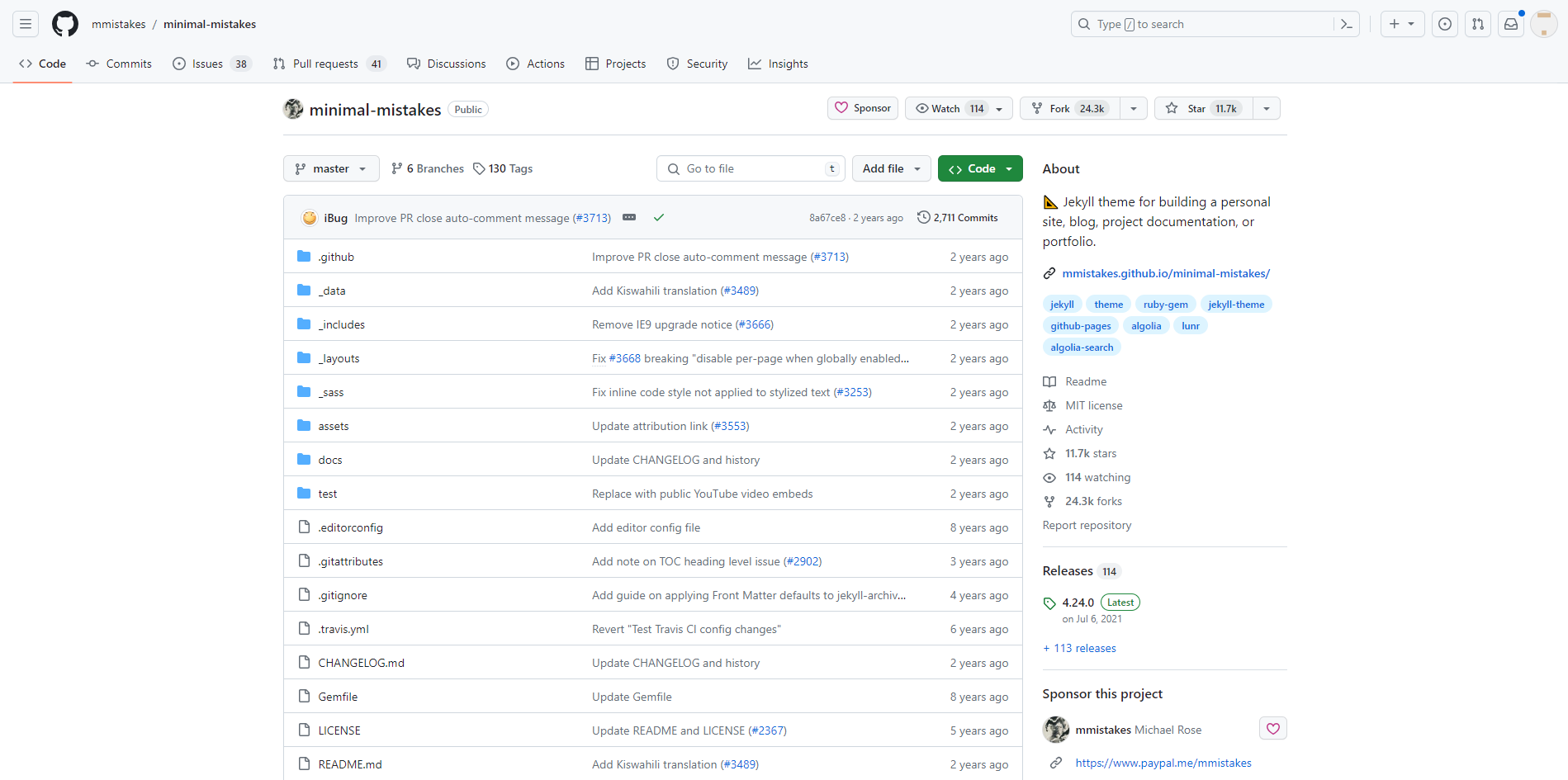
https://github.com/mmistakes/minimal-mistakes 에 접속하여 repository를 fork한다
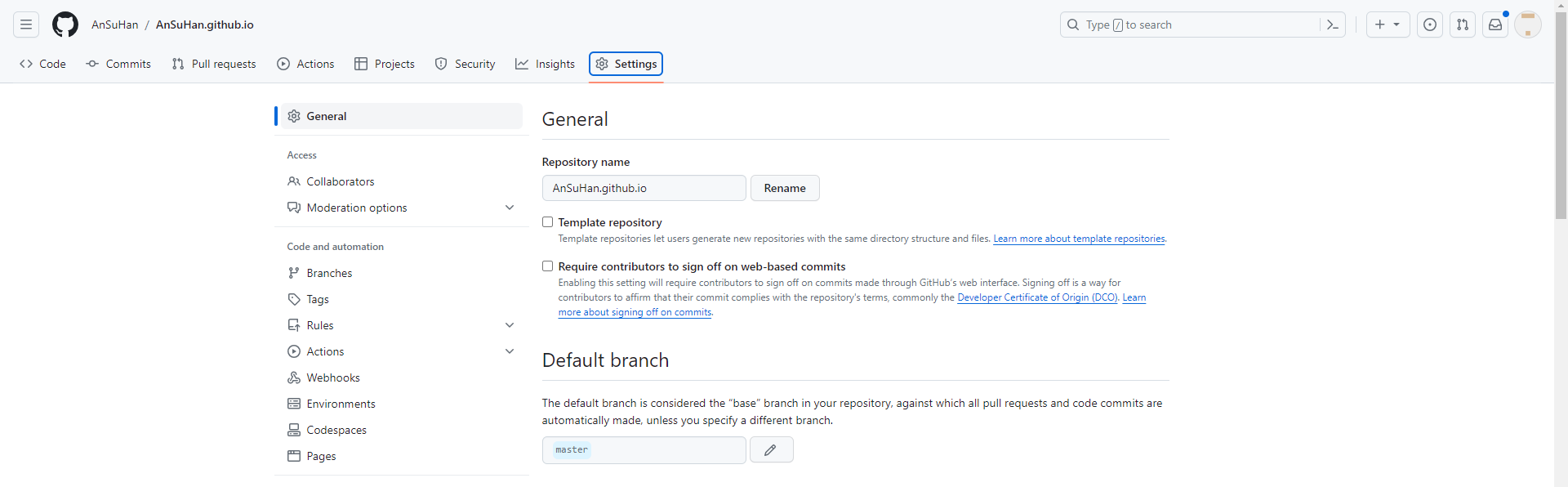
본인의 repository에 복사된 저장소에서 Settings에 들어가 Repository name을
(본인 닉네임).github.io로 변경한다
본인의 닉네임과 동일하지 않으면 동작하지 않는다
수정을 완료한 후, _config.yml 파일의 url부분의 주석을 해제하고,
"https://(본인 닉네임).github.io"로 설정 후 커밋한다

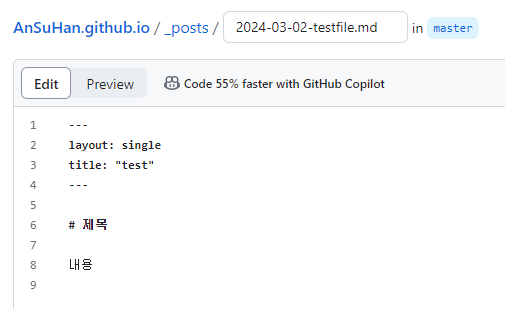
저장소로 돌아가 Add file -> create new file을 클릭하여 _posts 디렉토리 아래에 연-월-일-`이름`.md로 파일을 생성하고
내용을 아래와 같이 작성한다
(본인 닉네임).github.io로 잠시 뒤 접속하면 아래와 같이 기본 블로그와 포스팅이 하나 추가된 것을 볼 수 있다

이전 파일을 생성할 때, 날짜 뒤에 지정한 이름은 해당 페이지의 주소로 사용이 되고,
나머지 마크다운 파일에 작성한 내용은 페이지 내에서 확인이 가능하다

출처
https://github.com/mmistakes/minimal-mistakes
GitHub - mmistakes/minimal-mistakes: :triangular_ruler: Jekyll theme for building a personal site, blog, project documentation,
:triangular_ruler: Jekyll theme for building a personal site, blog, project documentation, or portfolio. - mmistakes/minimal-mistakes
github.com
https://youtu.be/ACzFIAOsfpM?si=nuP1x09W2uIkTHRv
'서버' 카테고리의 다른 글
| [가비아] 가비아 클라우드 ssh 접속 (0) | 2025.08.20 |
|---|---|
| [가비아] 가비아 클라우드 기본 설정 (0) | 2025.08.19 |
| [AWS] aws 시작하기 (2) | 2024.05.28 |
| [Node.js] 기본 설정 (0) | 2024.05.28 |
| Github.io를 Jekyll을 이용하여 사용하기 (0) | 2024.02.07 |


